

Introduction to Power Automate Desktop
In an era driven by digital innovation, the demand for automation solutions that enhance efficiency and minimize repetitive tasks has never been greater. Enter Power Automate Desktop, a groundbreaking tool designed to empower users with the ability to automate an array of desktop processes seamlessly. In this article, we will delve into the ins and outs of Power Automate Desktop, exploring its capabilities, key differentiators from its web-based counterpart, and providing examples of its functionality through code snippets.
Power Automate Desktop: Streamlining Automation with Ease
Power Automate Desktop represents a leap forward in the realm of robotic process automation (RPA), particularly within the Power Automate ecosystem. This tool is engineered to amplify the capabilities of RPA and elevate the way we engage with desktop processes. By harnessing the power of Power Automate Desktop, users can streamline their workflows, reduce the burden of mundane tasks, and allocate their time and energy to higher-value activities.
A standout feature of Power Automate Desktop is its intuitive flow designer. This new interface boasts built-in drag-and-drop actions, allowing users to easily construct automation sequences. Additionally, users have the option to record their own desktop flows, enabling them to recreate and automate processes without the need for manual intervention.
The Spectrum of Automation Possibilities
One of the most impressive facets of Power Automate Desktop lies in its remarkable range of automation capabilities. Whether you’re organizing documents, extracting data from websites, or establishing a system that puts your work on autopilot, this tool has you covered. Consider the following examples:
- Efficient Document Management: Through dedicated file and folder actions, Power Automate Desktop can swiftly organize your documents, saving you time and ensuring a structured workflow;
- Data Extraction with Precision: Harnessing the Web and Excel automation functions, Power Automate Desktop excels at extracting data from websites and seamlessly saving it to Excel files. This empowers users to effortlessly gather information from the web and integrate it into their work processes;
- Work Automation on Autopilot: One of the standout features is the ability to set up your work processes on autopilot. With Power Automate Desktop’s automation prowess, you can reduce manual intervention and allow the tool to execute tasks with precision.
Unlocking the Power: Low-Code RPA
Power Automate Desktop adopts a low-code approach to RPA, eliminating the need for intricate coding knowledge. This feature is a game-changer, enabling users to redirect their focus from routine “busy work” to more strategic, value-driven activities. The tool’s ability to record actions like mouse clicks and keyboard inputs makes it an accessible platform for users with varying technical backgrounds.
Power Automate Desktop seamlessly integrates with a multitude of applications, including Microsoft Office tools like Excel and Outlook, as well as various third-party applications and websites. This interoperability enables users to construct comprehensive automation solutions that span across their preferred tools and platforms.
Automating Reporting: A Common Scenario
A common challenge faced by organizations is the need to generate regular reports spanning different time frames. Power Automate Desktop rises to this occasion by facilitating the integration of data from diverse sources. This includes databases, web pages, Excel files, PDFs, and more. By amalgamating these sources, Power Automate Desktop can automatically generate reports tailored to specific needs, alleviating the burden of manual data compilation.
The Differences Between Power Automate vs. Power Automate Desktop
To gain a comprehensive understanding of Power Automate Desktop, it’s essential to contrast it with its web-based counterpart, Power Automate. The following table summarizes the key distinctions between the two:
| Feature | Power Automate | Power Automate Desktop |
|---|---|---|
| Application Type | Web or Cloud-based | Desktop-based |
| Connector Availability | Wide range, some premium | Extensive, no premium |
| Drag-and-Drop Action | Not available | Available |
| Session Recording | Not available | Available |
| Use Case Focus | Modern Apps with APIs | Legacy Apps with no APIs |
| Sharing and Integration | Possible with cloud flows | Not possible |
| Data Connector Integration | Possible | Not possible |
| Advanced Features (AI Builder) | Available | Not available |
| Complexity of Flow Creation | More complex | Easier |
| Application Range | Diverse | Web and desktop automation |
Setting Up Power Automate Desktop
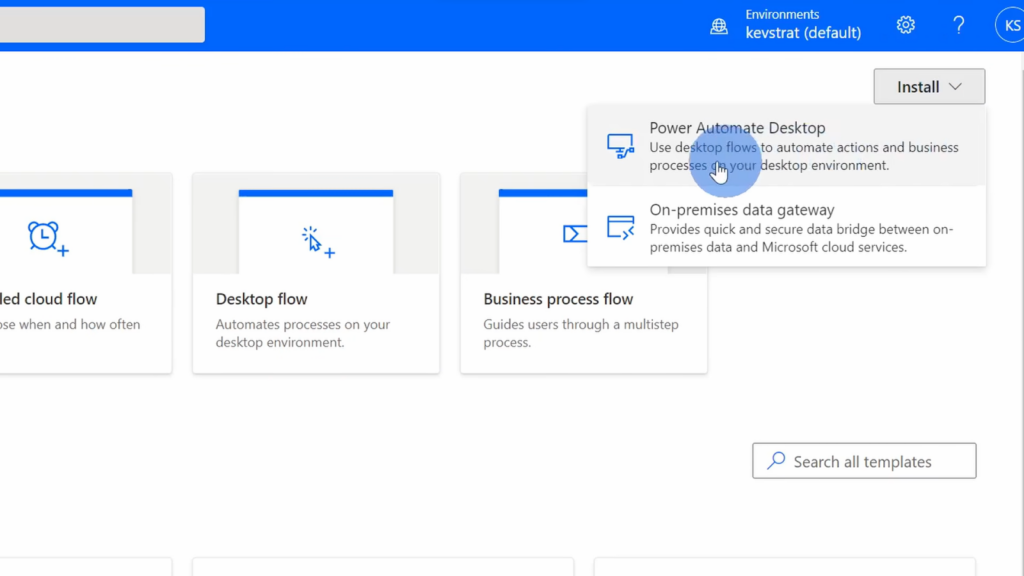
At this point, you are primed to embark on your Power Automate Desktop journey. The software comes with a Chrome extension designed to enhance web automation tasks, making it even more versatile and comprehensive in its capabilities.
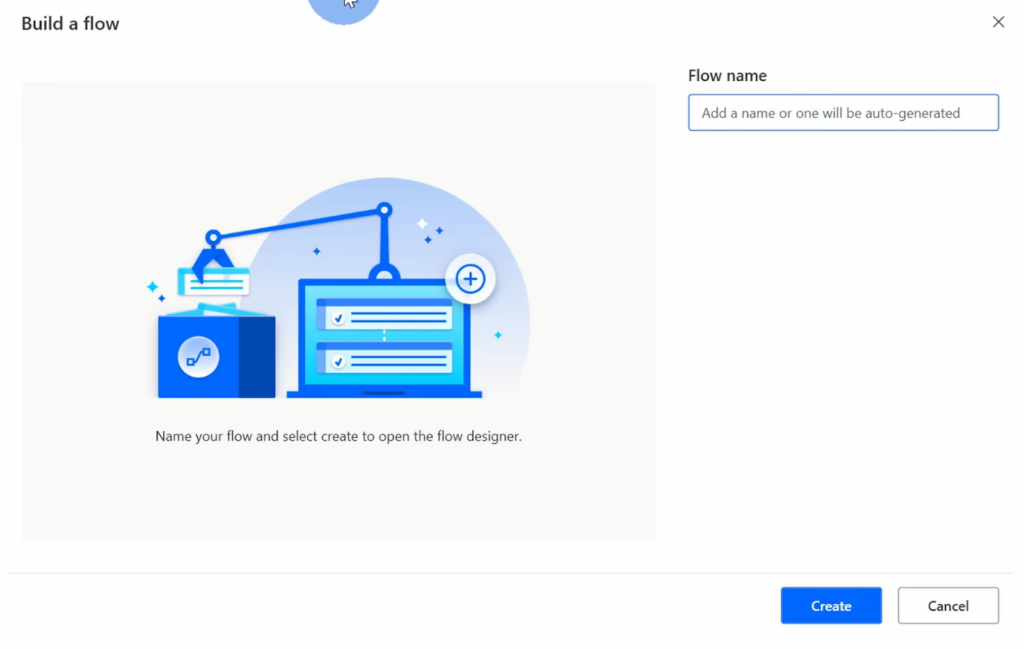
Example Code Snippets: Unveiling Automation in Action
To provide a hands-on understanding of Power Automate Desktop’s potential, let’s explore some code snippets that illustrate its application in automating tasks:
Automating Document Organization:
RepeatFor: Each file in folder “Documents”
– If: File contains keyword “Invoice”
– Move file to folder “Invoices”
– Else:
– Move file to folder “Miscellaneous”
Extracting Data from Websites:
Open Website “https://example.com”
Use Web Automation to:
– Fill “Search” field with “Target Data”
– Click “Search” button
– Extract text from element “Result”
Save Extracted Data to Excel “Data.xlsx”
Automating Excel Data Entry:
Open Excel “SalesData.xlsx”
Use Excel Automation to:
– Go to cell A1
– Input “Product Name”
– Go to cell B1
– Input “Quantity”
– Go to next empty row
– Input product data
Conclusion
Power Automate Desktop stands as a testament to the ongoing evolution of automation technology. By seamlessly combining the convenience of drag-and-drop actions with the efficiency of session recording, the tool empowers users to automate a diverse array of tasks. Its low-code RPA approach democratizes automation, enabling individuals with varying technical backgrounds to leverage its potential.
Whether it’s simplifying document management, extracting data from websites, or enabling the creation of sophisticated reports, Power Automate Desktop is poised to reshape the way we interact with desktop processes. As organizations and individuals alike strive to optimize efficiency and productivity, Power Automate Desktop emerges as an indispensable asset, paving the way for a future where automation takes center stage.