
Mastering Array Manipulation in Node.js: Tips and Tricks
Arrays are a fundamental data structure in programming that allows storing a sequential collection of elements of the same type. They provide a convenient way to manage and manipulate data by enabling the storage of multiple values under a single variable name. In Node.js, arrays play a crucial role in handling data efficiently.
In this guide, we’ll explore the basics of arrays in Node.js, how to create and manipulate them, and the essential array functions that can simplify your code.
Creating Arrays in Node.js
An array is like a container that can hold a group of values, each associated with an index. Instead of declaring individual variables for each value, you can use an array to group related data together. For instance, if you want to store the names of animals, you can create an array like this:
“`javascript
var animals = [‘cat’, ‘dog’, ‘elephant’, ‘tiger’];
“`
Arrays are a type of data structure that can hold a sequence of elements with the same data type. Think of an array as a bundle of variables, all sharing the same type. Instead of having separate variables like number0, number1, etc., you declare one array variable, like “numbers,” and access individual items using indices like numbers[0], numbers[1], etc.
- Every array is made up of adjacent memory slots, where the first element corresponds to the lowest memory address and the last element to the highest address. In Node.js, arrays can be created using the following code: To create an empty array, use “var array = [];” To create an array with elements, use “var arr = [‘cat’, ‘goat’, ‘bat’];”
For working with arrays in Node.js, you can access elements by their indices, starting from 0. Use the index along with the square bracket operator [] to access specific elements.

- On occasion, you might want to display the entire array. In such instances, simply supply the array itself to the console.log() function, without specifying an index or using any additional functions.
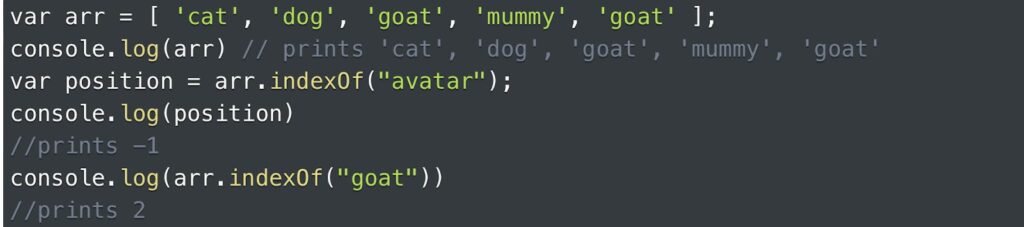
- The indexOf() method serves the purpose of providing the initial index of the given element within the array. If the element is present, its first index is returned; if not, the method returns -1 to indicate the absence of the value.
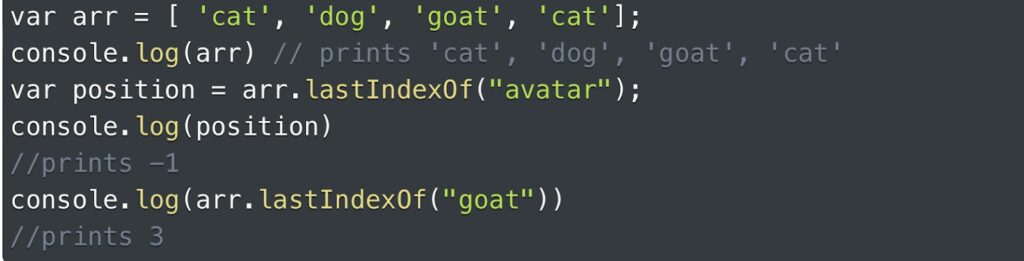
- The lastIndexOf() function is utilized to fetch the final index of the specified element in the array. If the element is located, the method will yield its last index; however, if the value is not present, the function will yield -1 as an indication.
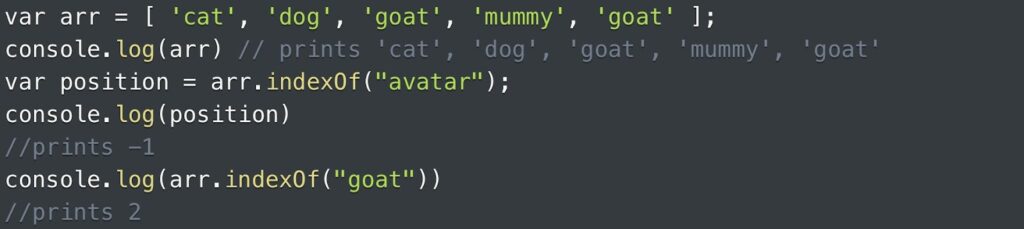
- The push() function is employed to append an item to the end of an array, effectively expanding the array’s content. This function is used to insert new elements at the last position of the array.
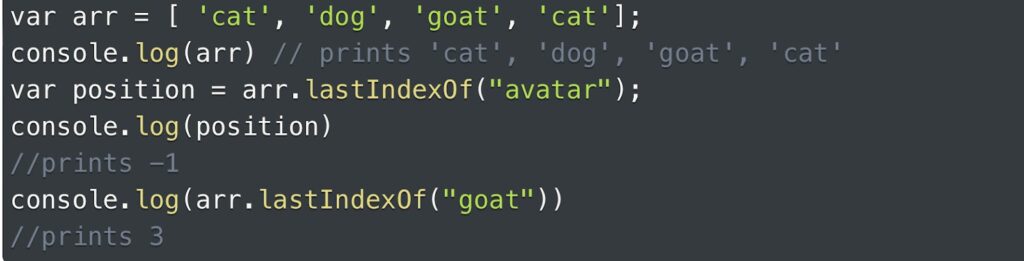
- The pop() function is responsible for taking out the final element of an array, effectively reducing the array’s length. Importantly, pop() does not require any arguments to be passed when used.

- The unshift() function within arrays serves the purpose of adding an element to the start of the array, effectively shifting existing elements to higher indices.

- The shift() method operates by eliminating the first element from the beginning of an array, leading to a readjustment of the indices for the remaining elements. It’s important to note that shift() does not require any arguments to be provided. This stands in contrast to the pop() function, which functions to remove an element from the array’s end.

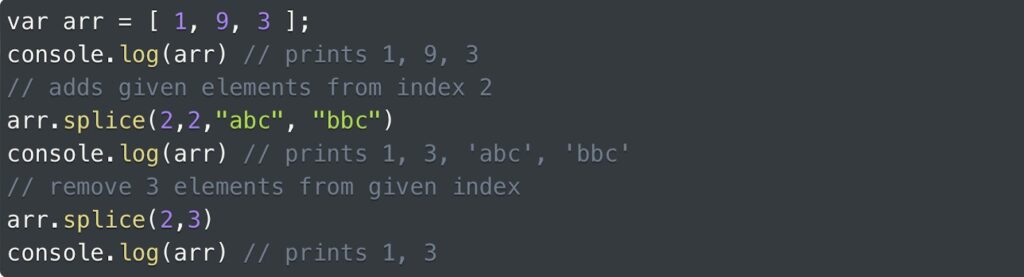
- The splice() function in Node.js serves a dual purpose: it can either introduce new elements into an array or extract existing elements from it. To use it, you follow this format: array.splice(index, howMany, [element1][, …, elementN]);
- In simpler terms, the “index” indicates the starting point for making changes in the array. “howMany” signifies the count of old array elements to be taken out. When “howMany” is set to 0, no elements are removed;
- Additionally, you can provide “element1,” “element2,” and so on, which will be added to the array. If no elements are specified, the splice() function solely eliminates elements from the array.
If a user supplies the index, howMany, and values (elements) to the splice() function, the function will incorporate the specified details. Conversely, if values are not provided, the splice() function will delete elements starting from the indicated index and extending up to the number defined by howMany.
- In Node.js, the sort() function is employed to organize the elements within an array in ascending order. This function arranges the elements from the lowest value to the highest value.

- The reverse() function in Node.js serves the purpose of flipping the sequence of elements within an array. This means that the initial element becomes the concluding one, and vice versa. It’s important to note that reverse() doesn’t require any arguments to be provided.
Occasionally, you might find the need to arrange the array in descending order, but this capability isn’t directly available in Node.js. However, a workaround exists: you can first sort the array in ascending order and then use the reverse() function on it. This process effectively transforms the array into descending order.

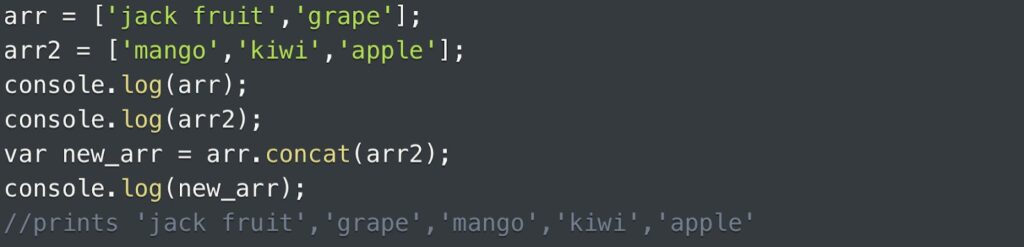
- The concat() function is utilized to combine two arrays, producing a fresh array that contains all the elements from both arrays in a sequential manner. The resulting array is a blend of the elements from the original arrays, positioned one after the other.
- The join() function is employed to merge the elements of an array into a single string, which is then returned. During this process, the elements are divided by a designated separator that you specify when calling the method. By default, the separator is a comma.

- The slice() function serves the purpose of extracting a specific portion from an array to create a new array. The original array remains unaffected by this operation. This function takes two arguments: “start” and “end.” If both arguments are omitted, the entire array will be sliced. The syntax is as follows: slice(start, end);
- The “start” value is an integer index indicating where to begin the slicing process. By default, it starts from index 0. If the “start” argument is left empty like slice(,end), the default value is used. Negative values can also be used to start from the end, although this is optional;
- The “end” value is an integer that specifies where the slicing should end (the last index is excluded). If the “end” argument is omitted (e.g., slice(start,)), it will slice up to the last element. Negative values can be employed to count from the end, and this is optional.
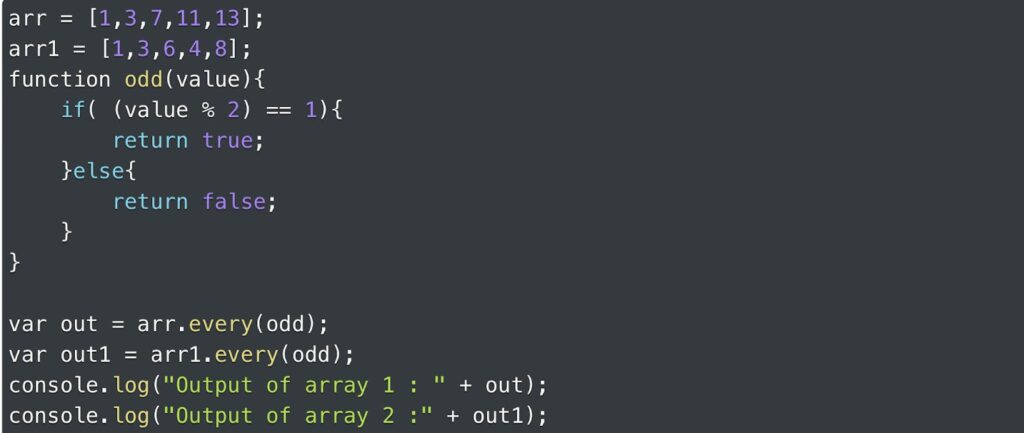
On the other hand, the every() function serves as a tool to validate whether a particular condition is met by all the elements within an array. When every() is invoked, it returns “true” if the specified condition holds true for all elements in the array; otherwise, it returns “false.”
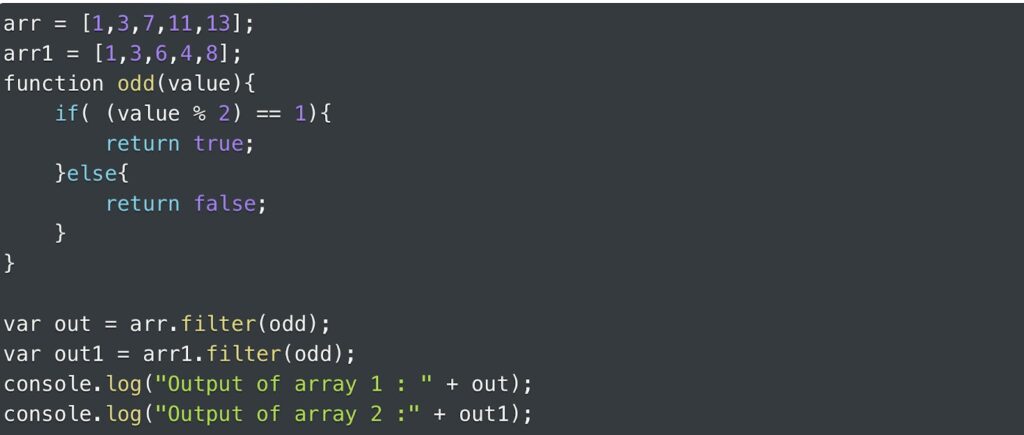
- The filter() function is utilized to form a fresh array by applying a specified condition. This new array exclusively contains the elements from the original array that successfully satisfy the specified test condition, usually provided as a function.
- The find() function retrieves the initial value in an array that meets a specified test, which is usually defined as a function. In case no element within the array meets the set condition, the function will yield “undefined.”
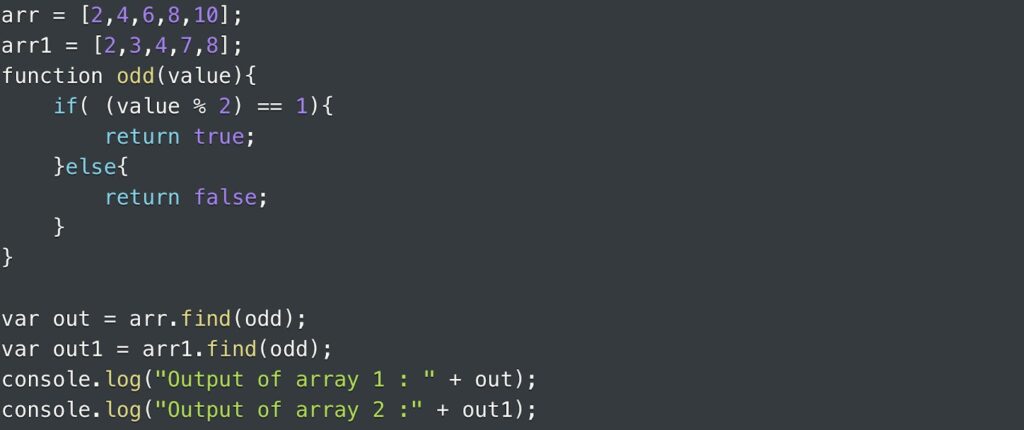
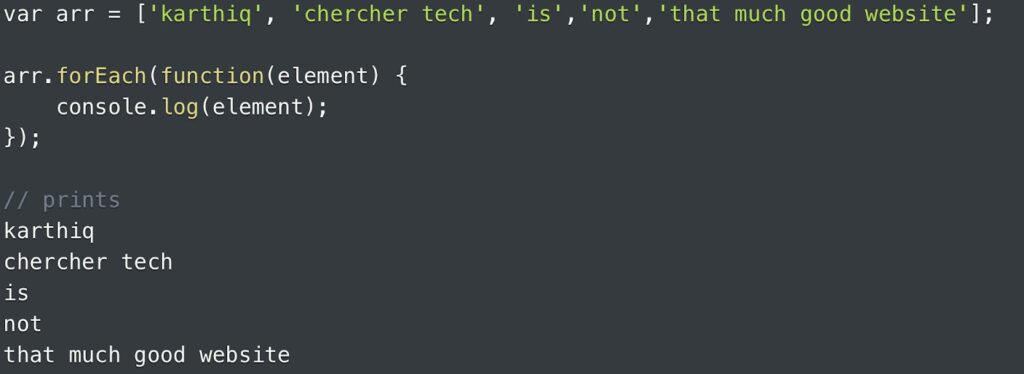
- The forEach() function exclusively operates on collections and serves the purpose of iterating through each element within an array. It’s important to note that an array is a form of collection as well.
- The reduce() function is employed to condense an array into a solitary value. This method carries out the provided function for every element within the array, accumulating the outcomes in what’s known as an “accumulator.” It’s important to note that the reduce() function doesn’t affect arrays devoid of values.
Accessing Array Elements
Accessing array elements involves using their index positions. In most programming languages, including Node.js, arrays are zero-indexed, which means the first element has an index of 0, the second element has an index of 1, and so on. To access an element, use square brackets `[]` with the index value inside, like this:
“`javascript
console.log(animals[0]); // Output: ‘cat’
console.log(animals[2]); // Output: ‘elephant’
“
Array Functions in Node.js
Node.js provides various array functions that simplify common operations. Let’s explore some of these functions:
indexOf()
The `indexOf()` function helps you find the index of a specific element in an array. It returns the index of the first occurrence of the element, or -1 if the element is not found.
“`javascript
var index = animals.indexOf(‘dog’);
console.log(index); // Output: 1
“`
lastIndexOf()
Similar to `indexOf()`, `lastIndexOf()` returns the index of the last occurrence of an element in an array.
“`javascript
var lastIndex = animals.lastIndexOf(‘tiger’);
console.log(lastIndex); // Output: 3
“`
push()` and `pop()
The `push()` function adds elements to the end of an array, while `pop()` removes the last element from the array.
“`javascript
animals.push(‘lion’); // [‘cat’, ‘dog’, ‘elephant’, ‘tiger’, ‘lion’]
animals.pop(); // [‘cat’, ‘dog’, ‘elephant’, ‘tiger’]
“`
unshift()` and `shift()`
`unshift()` adds elements to the beginning of an array, while `shift()` removes the first element.
“`javascript
animals.unshift(‘horse’); // [‘horse’, ‘cat’, ‘dog’, ‘elephant’, ‘tiger’]
animals.shift(); // [‘cat’, ‘dog’, ‘elephant’, ‘tiger’]
“`
Conclusion
Arrays are an essential tool in Node.js for managing collections of data. They provide flexibility and a range of functions that simplify common operations, from accessing elements to transforming and reducing data. By understanding how to create, access, and manipulate arrays, you’ll be better equipped to handle data effectively in your Node.js applications.